

Dynamic views
Dynamic view describes a particular use-case or scenario, with specific elements and interactions, defined only in the view (without polluting the model).
Dynamic view definition
Section titled “Dynamic view definition”53 collapsed lines
specification { element actor { style { shape person } } element system element component}
model { customer = actor 'Customer' { description 'Customer of Cloud System' }
cloud = system 'Cloud System' { backend = component 'Backend' { description 'Backend services and API'
auth = component 'Authentication'
api = component 'Backend API' { description 'RESTful API' }
api -> auth 'validates bearer token' }
ui = component 'Frontend' { description ' All the frontend applications of Cloud System ' style { shape browser }
web = component 'Customer Dashboard' { description 'React Application' style { shape browser } }
web -> auth web -> api 'requests' } }
customer -> web 'opens in browser'
}
views { dynamic view example { title 'Dynamic View Example' customer -> web 'opens in browser' web -> auth 'updates bearer token if needed' web -> api 'POST request' api -> auth // title is derived from the model api -> api 'process request' // allow self-call
// reverse direction, as a response to line 59 web <- api 'returns JSON'
// Include elements, that are not participating include cloud, ui, backend
style cloud { color muted opacity 0% } }}Continuous steps
Section titled “Continuous steps”Alternative syntax for describing continuous steps: A -> B -> C
dynamic view example { customer -> web -> api // same as web -> api -> web // same as web <- api}It identifies the backward direction of the step, i.e. A -> B -> A is the same as A -> B; A <- B.
Nested steps are processed as well, i.e.
A -> B -> C -> D -> B -> Ais the same as
A -> BB -> CC -> DD -> BA <- B // is backwardFlow control
Section titled “Flow control”Steps can be grouped into flow-control blocks to express parallelism, loops, optional paths, alternatives, and error handling. Every block accepts an optional title and can be nested.
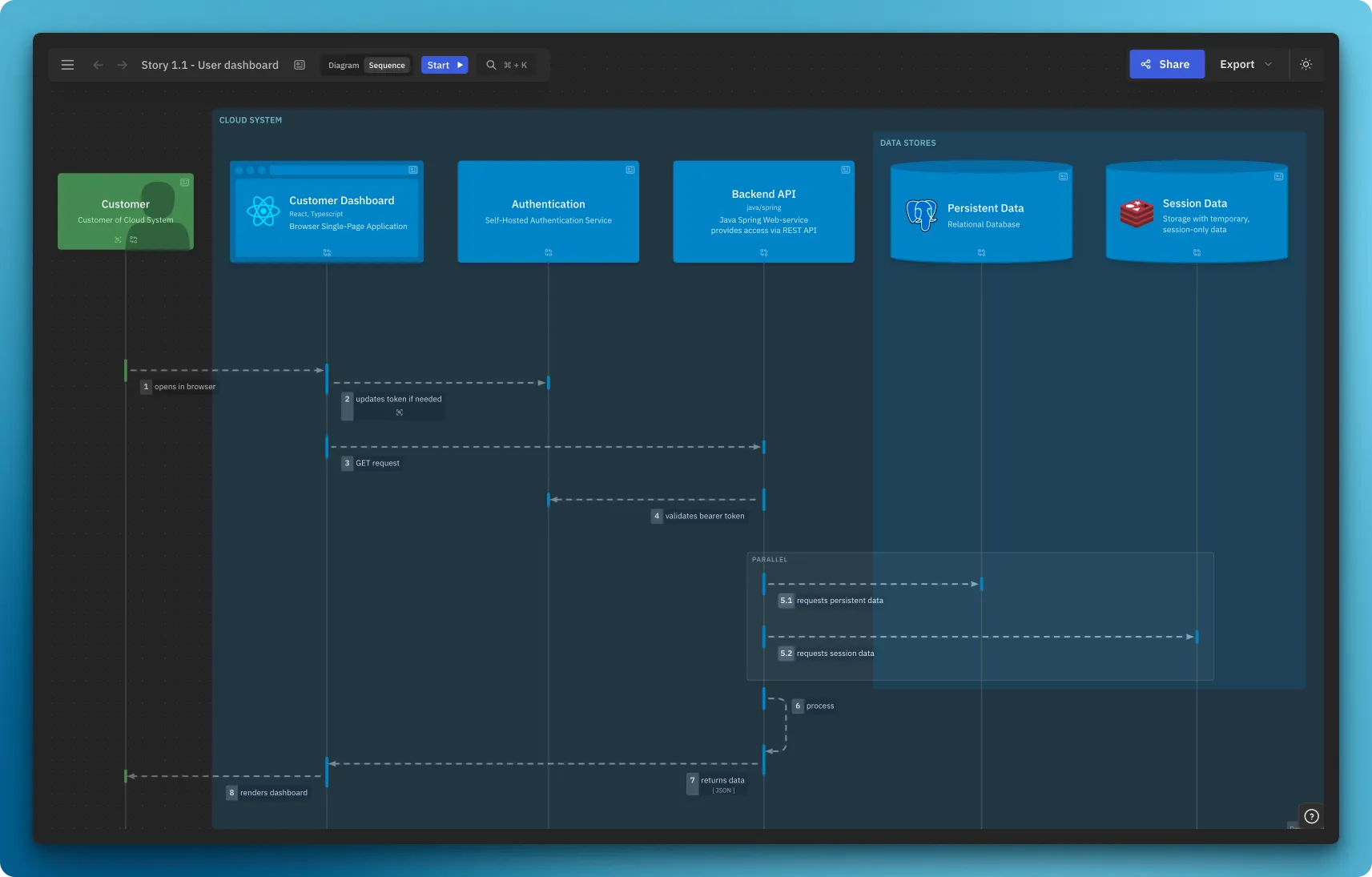
In the sequence variant these blocks are rendered as nested frames (par, opt, loop, …), mirroring classic sequence-diagram fragments.
Parallel — parallel / par
Section titled “Parallel — parallel / par”Steps inside run concurrently:
dynamic view parallelexample { title 'Dynamic View Parallel Example' ui -> api parallel { api -> cache api -> db } // or par { api -> cache api -> db }}Nested parallel blocks are not possible - see this discussion
Optional — opt
Section titled “Optional — opt”A block of steps that may be skipped:
opt 'if not cached' { api -> db 'load and cache'}Loop — loop
Section titled “Loop — loop”A block of steps that repeats:
loop 'until success' { api -> auth 'retry authentication'}Break — break
Section titled “Break — break”Interrupts the enclosing flow (e.g. exits a loop):
loop 'poll for result' { api -> db 'check status' break 'when ready' { api -> web 'return result' }}Alternatives — alt
Section titled “Alternatives — alt”Groups mutually exclusive branches. Each branch is a when / if / else block with an optional title:
alt { when 'authorized' { web -> api 'requests data' } else 'not authorized' { web -> customer 'shows login' }}Try / catch / finally — try
Section titled “Try / catch / finally — try”Models the happy path together with error handling. catch and finally are optional:
try { api -> db 'query'} catch 'on failure' { api -> web 'shows error'} finally { api -> api 'release resources'}Nesting
Section titled “Nesting”Blocks can be combined and nested to any depth:
alt { when 'online' { loop 'until synced' { web -> api 'sync changes' } } else 'offline' { web -> web 'queue locally' }}The sequence variant below combines alt / when / else, loop, try / catch / finally, parallel and opt:
Navigation
Section titled “Navigation”Steps can navigate to other dynamic views:
dynamic view level1 {  title 'Highlevel'
  ui -> api {    navigateTo moreDetails  }}
dynamic view moreDetails { title 'Some details'}notes can be used to add additional information to the step. It supports Markdown:
dynamic view stepnotes {  title 'Dynamic View Parallel Example'
  ui -> api {    notes '      🏛️ - Requests data using predefined GraphQL queries      🤖 - Queries regression on CI    '  }
  parallel {    api -> cache {      // Supports Markdown      notes '''        **What it does**:        - requests session-scoped data        - updates TTL
      '''    }  }}
Variants
Section titled “Variants”Dynamic views support two variants: diagram and sequence.
By default, dynamic views are displayed as diagrams.
Diagram
Section titled “Diagram”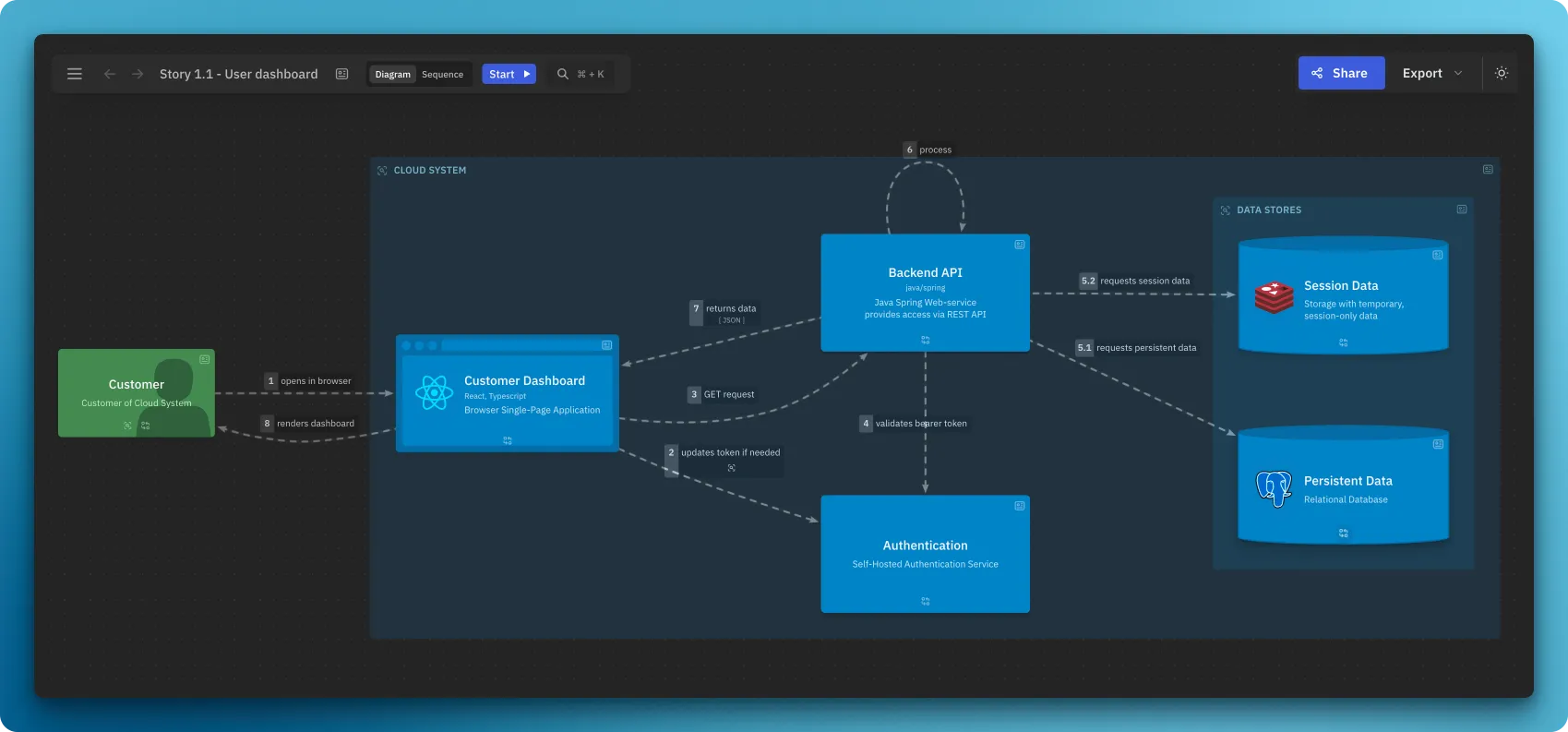
Sequence
Section titled “Sequence”Classic sequence diagram:
Order of actors
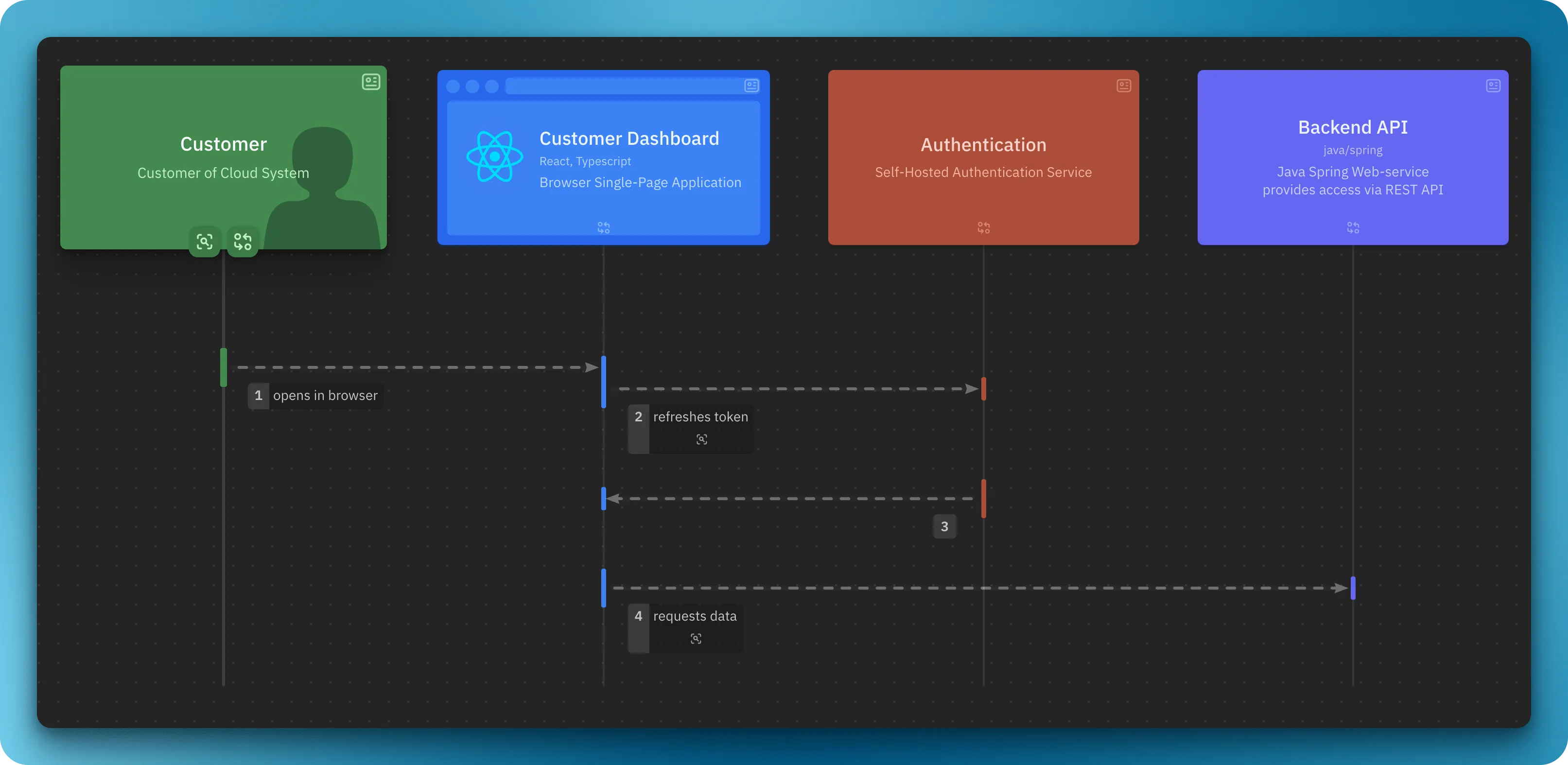
Section titled “Order of actors”The sequence variant allows to set the order of actors with include predicate:
Default variant:
dynamic view order1 { customer -> web -> auth -> web -> api}Steps define the order of actors.
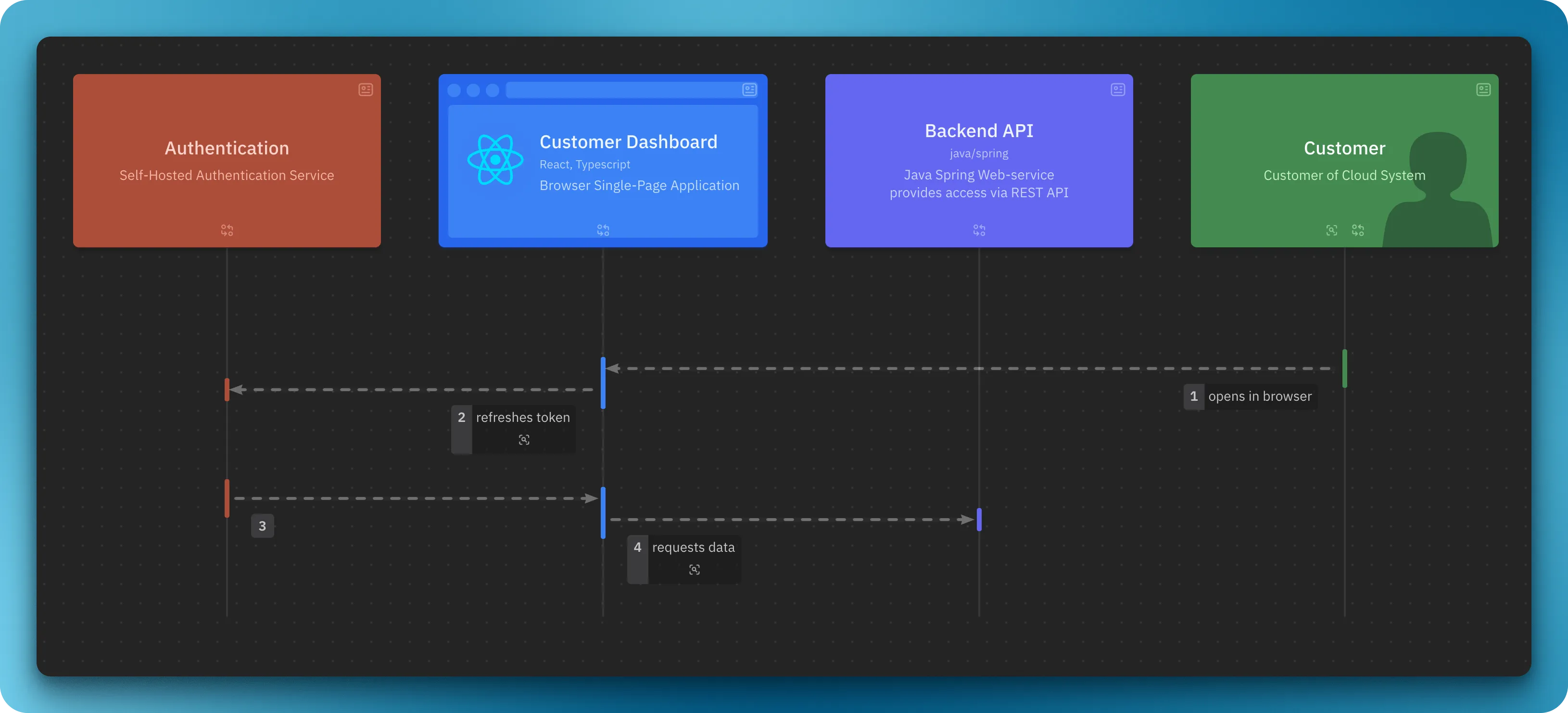
Ordered variant:
dynamic view order2 {  customer    -> web    -> auth    -> web    -> api
  // Strict order  include    auth,    web,    api}
include predicate may define order partially, for the rest order will be derived based on the steps.
Example
Section titled “Example”Browse this example: